Building a Unified ECM Platform Using SharePoint and Power Platform
A practical 6-step guide to building a unified Enterprise Content Management (ECM) system using Microsoft SharePoint and Power Platform to efficiently capture, manage, and automate your documents
A practical step-by-step guide to building an Enterprise Content Management system that actually works
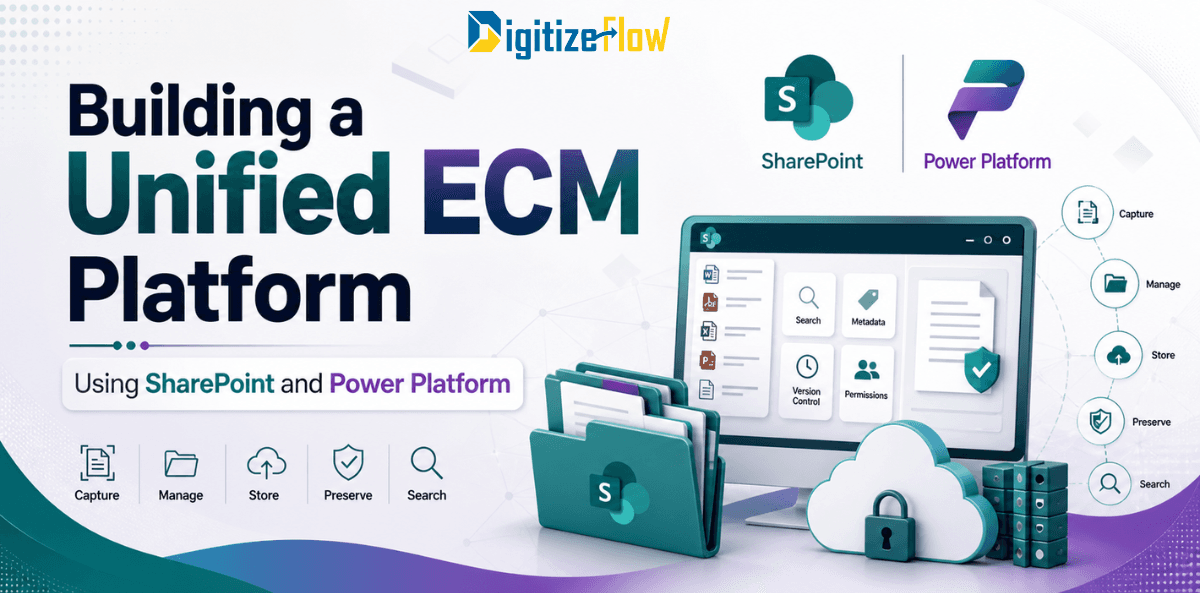
Enterprise Content Management means means giving an organization the ability to capture, manage, store, preserve, and retrieve content in a way that is consistent, secure, and aligned with how the business actually operates.
The combination of Microsoft SharePoint and the Power Platform changes this equation. SharePoint provides the enterprise-grade content repository.
Power Platform provides the automation, intelligence, and custom application layer that turns that repository into a living operational system. When architected correctly, this combination delivers a unified ECM platform that covers all five ECM capabilities without requiring a separate specialized tool for each one.
What a Unified ECM Platform Needs to Do
Before building anything, it is worth being precise about what the ECM platform needs to accomplish. The five core ECM functions, and how SharePoint and Power Platform address each one, define the scope of the build.
Capture: Bringing content into the system from multiple sources, including manual uploads, email attachments, scanned documents, and automated feeds from external systems
Manage: Organizing content with consistent metadata, enforcing version control, managing access permissions, and routing content through review and approval workflows
Store: Maintaining content in a secure, scalable, and accessible repository with appropriate redundancy and disaster recovery
Preserve: Applying retention policies, managing the content lifecycle, and ensuring compliance with regulatory requirements for document retention and disposition
Search: Making content findable through metadata filtering, full-text search, and semantic search that surfaces relevant content based on meaning as well as keywords
A unified ECM platform is not five separate tools assembled together. It is a single integrated environment where each capability reinforces the others. Content captured with consistent metadata is easier to manage, simpler to preserve, and significantly more findable through search.
Step 1: Design the Information Architecture Before Building Anything
The most common and most expensive ECM implementation mistake is beginning with configuration before completing design. Teams create SharePoint sites, build libraries, and start uploading documents before the fundamental architecture questions have been answered. The result is a structure that has to be partially or fully rebuilt when the design conflicts with real requirements.
Information architecture design for ECM covers four areas that must be resolved before any configuration begins.
Content taxonomy: identifying all the document types the organization generates, how they are categorized, and what metadata fields each type requires
Site and library structure: deciding how the SharePoint environment is organized into hub sites, sites, and document libraries, based on the organization's operational structure rather than its org chart
Metadata schema: defining the specific columns that will be applied across each content type, the acceptable values for each field, and which fields are mandatory versus optional
Permission model: mapping which user groups need access to which content categories, and how those permissions will be enforced and maintained as the organization evolves
Design decisions made in this step will be inherited by every subsequent step. Organizations that invest two to three weeks in thorough information architecture design before building consistently spend less time on rework and troubleshooting than organizations that start building immediately.
Step 2: Build the SharePoint Content Repository
With the architecture designed and approved, the SharePoint environment is constructed according to the specification. This step has a defined sequence that prevents structural problems from accumulating as the build progresses.
Begin with the hub site architecture. Hub sites connect related sites into a unified navigation experience and allow shared search, branding, and policies to be applied consistently across multiple sites. Establishing the hub structure before creating individual sites ensures that navigation and shared elements are configured from the top down rather than retrofitted after the fact.
Deploy content types and managed metadata next, before any document libraries are created. Content types define the metadata schema for each document category and ensure that every document uploaded to the system carries consistent, structured metadata regardless of which library it resides in. Managed metadata term sets standardize the acceptable values for key metadata fields, preventing the inconsistency that makes search and filtering unreliable.
Create document libraries using the defined content types and configure the views that different user groups will use to navigate and filter content. Permissions should be applied to libraries using SharePoint groups rather than individual user assignments, so that access is governed by role rather than managed person by person.
Version control should be enabled on every document library from the first day of operation. The ability to review previous versions and restore earlier states is one of the most practically valuable ECM capabilities and requires no additional configuration beyond enabling the setting.
Step 3: Automate Content Capture and Intake Workflows
A content repository that requires manual upload for every document will always accumulate gaps. Content gets saved to desktops, shared by email, and stored in personal folders by employees who find manual upload inconvenient. Automating the intake process removes this friction and ensures the repository reflects the organization's actual content.
Power Automate Intake Flows Power Automate can be configured to capture content from multiple sources automatically. Email attachments matching defined criteria can be extracted from Outlook and uploaded to the appropriate SharePoint library with metadata pre-populated from the email subject and sender. Forms submitted through Power Apps can route their attached documents directly into SharePoint with metadata applied from the form fields. Scanned documents processed through Microsoft Syntex can be classified by document type and stored in the correct library without manual routing.
Power Apps Submission Portals For content that requires structured input from employees, Power Apps provides a more controlled capture interface than direct SharePoint upload. A contract intake portal, for example, can guide the submitting employee through a form that captures all required metadata fields, validates the entries before submission, and routes the completed package to the appropriate SharePoint library and approval workflow. This approach enforces metadata quality at the point of entry rather than relying on employees to tag documents correctly after the fact.
Step 4: Build the Approval and Lifecycle Management Workflows
Content does not become managed simply by arriving in a repository. It needs to move through defined processes: review, approval, publication, revision, and eventually archival or disposition. Power Automate provides the workflow engine that drives these processes automatically.
Document Approval Workflows A well-designed document approval workflow routes a submitted document to the appropriate reviewer based on document type and metadata values, enforces a defined SLA for review completion, escalates to a senior approver if the deadline is not met, notifies the submitter of the outcome with the reviewer's comments, and updates the document's status metadata automatically upon approval or rejection. All of this runs without manual coordination and generates a complete audit trail as a byproduct of normal operation.
Retention and Records Management Microsoft Purview, integrated with SharePoint, applies retention labels to content based on document type and content classification. Documents approaching their retention period trigger a review workflow that routes them to the appropriate records manager for disposition decision. Approved deletions are executed automatically. Documents designated as records are locked against modification and preserved according to the defined retention schedule. This lifecycle management runs as a background process rather than a manual administrative task.
Step 5: Configure Search and Retrieval
The value of an ECM platform is ultimately measured by how quickly and reliably employees can find what they need. A repository containing thousands of well-organized documents is only useful if search returns accurate, relevant results.
SharePoint search quality is directly proportional to metadata quality. Documents tagged with consistent, accurate metadata surface correctly in filtered searches. Documents with missing or inconsistent metadata do not. This is why the investment in content types, managed metadata, and intake workflow validation in the earlier steps directly determines search performance.
Beyond metadata-driven filtering, configure managed properties in the SharePoint Search Schema to map your custom metadata columns to searchable and refinable properties. This enables the search refinement panels that allow users to narrow results by document type, date range, department, or any other metadata dimension relevant to the organization.
For high-frequency queries, configure promoted results that surface the most commonly requested documents instantly. Identify the twenty to thirty searches that employees run most often and build promoted results for each one. This single configuration change has an outsized impact on daily user experience and adoption.
Step 6: Establish Governance and Ongoing Management
A unified ECM platform is a living system. Without deliberate governance, it degrades over time as sites multiply, metadata quality drifts, permissions accumulate exceptions, and content volumes grow beyond the original design parameters.
Governance for a SharePoint and Power Platform ECM environment covers four ongoing responsibilities.
Site creation control: a defined process for requesting and provisioning new sites, preventing uncontrolled sprawl that fragments the content landscape
Metadata quality monitoring: regular audits of metadata completeness and consistency, with remediation processes for documents that fail to meet the defined standards
Permission reviews: quarterly audits of permission levels and group memberships, with particular attention to external sharing and any breaks in the standard permission inheritance model
Platform evolution management: monitoring Microsoft's release schedule for SharePoint and Power Platform updates, evaluating new capabilities such as Copilot integration and Syntex document understanding for applicability to the organization's ECM environment
Digitize Flow supports enterprise clients through the entire ECM build process, from information architecture design through governance framework development and post-launch optimization. Our approach ensures that each step is executed with the precision that the subsequent steps depend on, and that the platform is handed over with the governance structures and documentation that enable the organization to manage and evolve it effectively over time.
Why Unified Matters
Organizations that build ECM capabilities piecemeal, with separate tools for document storage, workflow automation, records management, and search, consistently struggle with integration overhead, data silos, and governance fragmentation. Each tool has its own security model, its own metadata schema, and its own administrative interface.
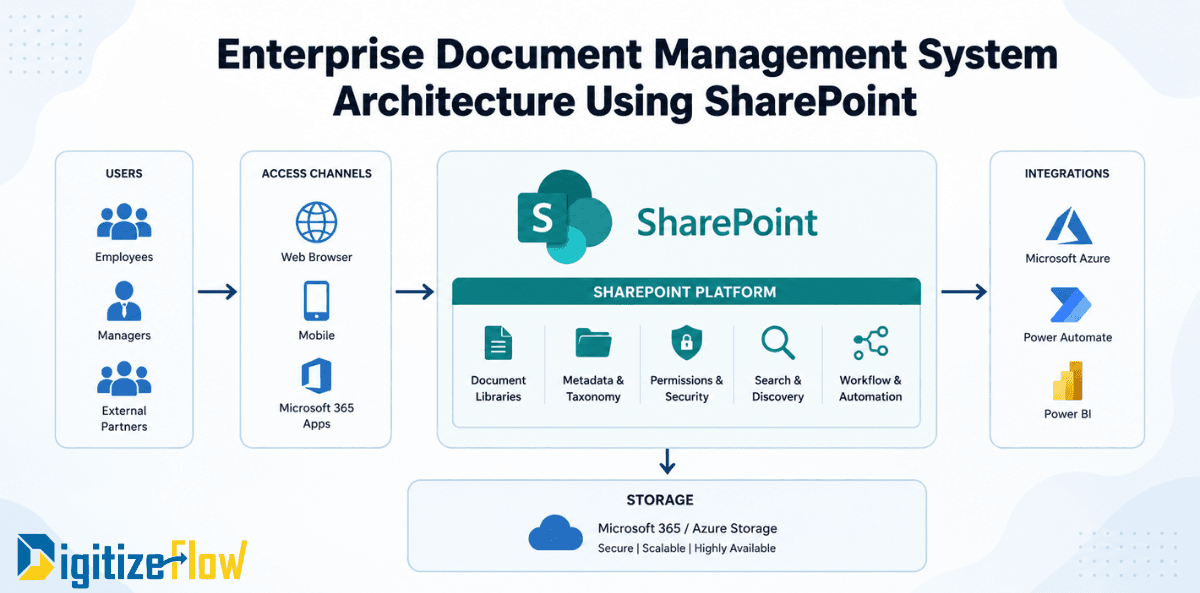
Building a unified ECM platform on SharePoint and Power Platform eliminates these integration problems by design. Every component operates within the same Microsoft 365 security boundary, references the same metadata taxonomy, and is managed through the same administrative framework. Content captured by a Power Apps portal is stored in SharePoint, processed by a Power Automate workflow, preserved by a Purview retention policy, and surfaced by SharePoint search. No custom integrations required. No data synchronization overhead. No security model reconciliation.
This architectural unity is what makes the SharePoint and Power Platform combination the most practical and sustainable foundation for enterprise ECM available within the Microsoft 365 ecosystem.
Frequently Asked Questions
How long does it take to build a unified ECM platform on SharePoint and Power Platform? A core ECM implementation covering information architecture design, SharePoint build, intake automation, approval workflows, and search configuration typically takes 12 to 16 weeks for a mid-size enterprise. More complex deployments with Syntex and multi-department rollout can extend to 20 to 24 weeks.
Can Microsoft Syntex be added to improve document capture and classification? Yes. Syntex integrates directly with SharePoint and can be layered onto an existing ECM implementation. Models trained on your documents can classify incoming files, extract key data fields, and apply metadata automatically. For organizations processing high volumes of invoices, contracts, or compliance reports, Syntex significantly reduces manual effort in maintaining metadata quality.
What is the difference between an ECM platform built on SharePoint and a purpose-built ECM product? Purpose-built ECM products offer deep out-of-the-box functionality for specific industries but carry higher licensing and integration costs. SharePoint-based ECM offers broader Microsoft 365 integration, lower total cost of ownership, and greater flexibility to adapt to specific workflows. For most enterprises already on Microsoft 365, the SharePoint and Power Platform combination provides sufficient ECM capability at significantly lower cost.