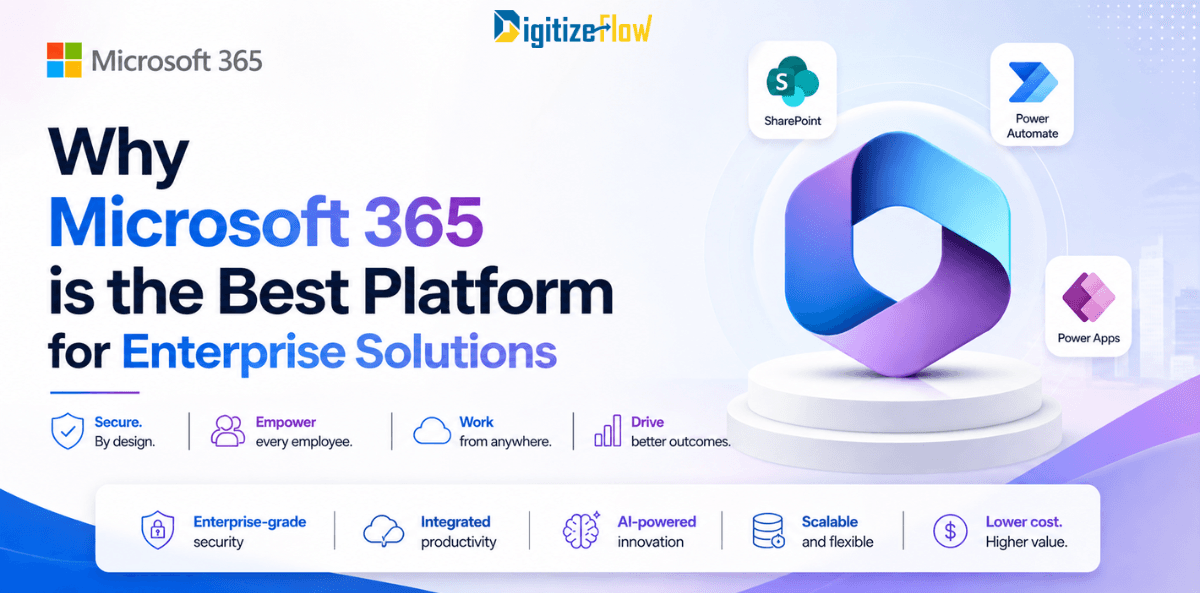
Why Microsoft 365 is the Best Platform for Enterprise Solutions
Microsoft 365 is more than just a software suite; it's a complete enterprise operating system. Discover how its integrated ecosystem of SharePoint, Power Platform, and AI drives real business transformation.
Not just a software suite
A complete enterprise operating system built for the way modern organizations work
Enterprises have more technology choices today than at any point in history. Cloud platforms, collaboration tools, automation engines, analytics dashboards, and AI systems compete for the same budget and the same organizational attention. In this landscape, one platform has emerged not just as a strong option but as the definitive foundation for enterprise operations: Microsoft 365.
The platform earns its position not through any single feature but through what happens when its components work together.
Organizations built on Microsoft 365 move faster, collaborate more effectively, automate more reliably, and adapt more readily to change than those assembling equivalent capability from disconnected tools.
Microsoft 365 is not just where enterprise work happens. It is what makes enterprise work better.
An Integrated Ecosystem, Not a Collection of Applications
The most important thing to understand about Microsoft 365 is that its strength is architectural, not just functional. Every application in the ecosystem, from Outlook and Teams to SharePoint, Power Automate, Power BI, and Dynamics 365, is designed to share data, identity, and security through a single unified platform. They are not connected tools. They are components of an integrated system.
This integration matters enormously in practice. When a document is created in Word, it can be stored in SharePoint, shared through Teams, routed through a Power Automate approval workflow, and its status reflected in a Power BI dashboard, all without moving data between systems or managing separate authentication credentials.
The entire workflow happens within a single security boundary, governed by a single identity framework, and visible through a single administrative interface.
The integration cost of assembling equivalent capability from separate vendors frequently exceeds the cost of the Microsoft 365 subscription that would have eliminated it entirely.
SharePoint: The Enterprise Foundation That Powers Everything
At the center of the Microsoft 365 enterprise ecosystem is SharePoint. It is the platform's content backbone, and understanding what SharePoint actually does at enterprise scale makes clear why it is the right foundation for any serious enterprise solution.
Intelligent Document Management
SharePoint is not a file server with a web interface. It is an enterprise content management platform that organizes information through metadata rather than folders, enforces version control automatically, applies security at the content level rather than just the location level, and makes content findable through semantic search that understands meaning, not just keywords.
The Intranet That Connects the Organization
SharePoint powers enterprise intranets that serve as the operational hub for the entire organization. News, announcements, project sites, department portals, employee directories, and policy libraries all live in SharePoint and are surfaced through a navigable, searchable interface that employees actually use. When an intranet is well designed on SharePoint, it becomes the default destination for organizational knowledge rather than a system that employees avoid.
The Data Layer That Everything Else Connects To
Every Power Automate workflow, every Power Apps application, every Power BI dashboard, and every Copilot response can draw from and write to SharePoint. It serves as the data backbone of the Power Platform, which means that every automation, every application, and every analytical insight is working from the same centralized, governed content repository. This architectural role makes SharePoint not just a storage system but the operational foundation of the entire enterprise.
Power Automate: Workflow Automation That Transforms Operations
Power Automate is the workflow automation engine of Microsoft 365, and its impact on enterprise operations is difficult to overstate. It connects systems, automates decisions, enforces deadlines, and handles the manual coordination work that currently consumes a significant fraction of every knowledge worker's day.
Approval Workflows That Actually Work
Power Automate replaces email-based approval processes with structured, automated workflows that enforce defined business rules consistently. A purchase order approval workflow built in Power Automate routes the request to the correct approver based on amount and department, sends a reminder if the SLA is not met, escalates to a senior approver if the deadline is breached, notifies the requester of the outcome, and logs every action in a complete audit trail. This entire process runs automatically, without manual coordination, and produces documented evidence of every decision.
Cross-System Integration Without Custom Development
Power Automate connects to over 900 data sources and applications through pre-built connectors. SAP, Salesforce, ServiceNow, Oracle, and hundreds of other enterprise systems can be integrated into workflows without custom API development. An invoice received by email can trigger a flow that extracts the relevant data, creates a record in the ERP system, routes the document to SharePoint, and notifies the finance team in Teams, all without a single line of custom code.
AI-Powered Process Intelligence
Power Automate integrates with AI Builder, which brings machine learning capabilities into workflow automation without requiring data science expertise. Document processing models read incoming invoices, contracts, and forms, extract structured data automatically, and feed it into downstream workflows. Exception detection identifies transactions that fall outside normal parameters and flags them for human review. The intelligence layer makes automation adaptive rather than purely rule-based.
Power Platform: The Complete Low-Code Enterprise Development Environment
Power Platform extends the Microsoft 365 ecosystem with a comprehensive low-code development environment that enables enterprises to build custom applications, automate complex workflows, analyze operational data, and create external portals, all without traditional software development timelines or costs.
Power Apps: Custom Applications in Weeks, Not Months
Power Apps allows organizations to build fully functional business applications configured by business analysts rather than written by software engineers. Employee onboarding portals, field inspection tools, asset management applications, HR self-service systems, and customer-facing intake forms can be delivered in four to eight weeks. These are not prototype applications. They are production-grade systems used by thousands of employees at some of the world's largest enterprises.
Power BI: Operational Intelligence at Every Level
Power BI turns the data generated by SharePoint, Power Automate, Dynamics 365, and every other connected system into live operational dashboards. Executives see organizational performance in real time. Department heads monitor process efficiency without waiting for a monthly report. Operations teams identify bottlenecks as they emerge rather than after they have caused significant delay. The shift from periodic reporting to continuous operational visibility changes how quickly organizations identify and respond to problems.
Power Pages: Secure External Portals
Power Pages extends the Microsoft 365 ecosystem to external stakeholders, allowing organizations to create secure web portals for clients, suppliers, and partners. A vendor onboarding portal, a client document submission system, or a partner application portal can be built on Power Pages, connected to SharePoint for document storage, integrated with Power Automate for workflow routing, and governed by the same Microsoft 365 security framework that protects internal systems.
Security and Compliance That Meets Enterprise Requirements
Enterprise technology decisions are never purely about capability. They are also about risk. Microsoft 365 meets the security and compliance requirements of the most demanding enterprise environments, including financial services, healthcare, government, and defense.
Microsoft invests more than one billion dollars annually in cybersecurity. The Microsoft 365 platform holds over 100 compliance certifications, including ISO 27001, SOC 2 Type II, HIPAA, FedRAMP High, and GDPR. Azure Active Directory provides enterprise identity management with multi-factor authentication, conditional access policies, and privileged identity management built in.
Microsoft Purview adds information governance capabilities that classify sensitive content automatically, apply retention and deletion policies based on content type, prevent data loss through policy enforcement at the application layer, and generate the audit trails that regulatory frameworks require. Most enterprises cannot independently replicate this security posture, which makes Microsoft 365 not just a capable platform but a genuinely safer one than alternatives that require organizations to build and maintain their own security infrastructure.
AI Integration That Is Already Operational
Microsoft has made a more substantial and more practical investment in enterprise AI than any comparable platform provider. Microsoft Copilot is embedded throughout Microsoft 365, bringing generative AI capabilities into Word, Excel, Outlook, Teams, SharePoint, and Power Platform without requiring separate AI tools or custom integrations.
Copilot in Teams summarizes meetings, extracts action items, and briefs absent participants in minutes
Copilot in SharePoint searches across the entire content repository using natural language and surfaces relevant documents based on meaning
Copilot in Outlook drafts email responses, summarizes long threads, and prioritizes the inbox based on urgency
Copilot in Power Automate suggests workflow steps, identifies optimization opportunities, and helps non-technical users build automation without writing logic manually
Microsoft Syntex applies AI to document processing, classifying incoming files, extracting structured data, and applying metadata automatically at scale
The AI advantage in Microsoft 365 is not that the models are more capable than alternatives. It is that the AI operates on the organization's own content, within the organization's own security boundary, with full access to the organizational context that makes AI responses genuinely relevant rather than generically helpful.
The Compound Advantage of a Unified Platform
The case for Microsoft 365 as the best enterprise platform is ultimately a case for architectural unity. Every capability described in this article delivers more value because it shares infrastructure, data, and identity with every other capability in the ecosystem.
A document stored in SharePoint is automatically available to Power Automate for workflow routing, to Power BI for analytics, to Copilot for intelligent search, and to Teams for collaborative editing, without any integration work. A workflow built in Power Automate can trigger actions in Dynamics 365, update SharePoint metadata, send a Teams notification, and log a record in Dataverse as a single connected sequence of events.
This compound effect means that every investment in the Microsoft 365 ecosystem increases the value of every prior investment. Organizations that build deliberately on this platform, adding capabilities in sequence and integrating them through a unified architecture, consistently outperform organizations that assemble equivalent capability from disconnected tools.
Digitize Flow specializes in helping enterprises realize this compound advantage. We design and implement Microsoft 365 solutions that are architected for integration from the first line of configuration, so that every capability added to the environment builds on a foundation that amplifies its impact rather than containing it.
Frequently Asked Questions
Is Microsoft 365 suitable for organizations outside the technology sector?
Absolutely. Microsoft 365 is deployed across construction, healthcare, finance, manufacturing, logistics, government, legal services, and every other major industry. The platform's capabilities are industry-agnostic, and its compliance certifications cover the regulatory requirements of most regulated industries. Organizations in construction use SharePoint for document management and Power Automate for approval workflows. Healthcare organizations use it for compliant document storage and patient communication management. The platform adapts to the industry rather than requiring the industry to adapt to the platform.
How does Microsoft 365 pricing compare to assembling equivalent capability from multiple vendors?
Total cost of ownership comparisons consistently favor Microsoft 365 when the full cost of multi-vendor alternatives is calculated. The visible licensing cost of individual tools is typically lower than Microsoft 365. The invisible costs of integration development, security management, identity federation, administrative overhead, and vendor relationship management across multiple contracts consistently exceed the premium of a unified Microsoft 365 subscription. Organizations that have made the comparison rigorously, accounting for all costs over a three to five year horizon, find that the unified platform is less expensive in total than the assembled alternative.
What is the best starting point for an enterprise Microsoft 365 implementation?
Start with SharePoint as the content foundation and governance framework before building automation or analytics on top. The quality of the information architecture established in SharePoint directly determines the performance of every Power Platform capability built on it. Organizations that rush to Power Automate workflows before establishing a well-governed SharePoint environment consistently find themselves rebuilding workflows when the content foundation proves inadequate. Getting the foundation right in the first eight to twelve weeks pays compounding dividends for every subsequent phase of the implementation.