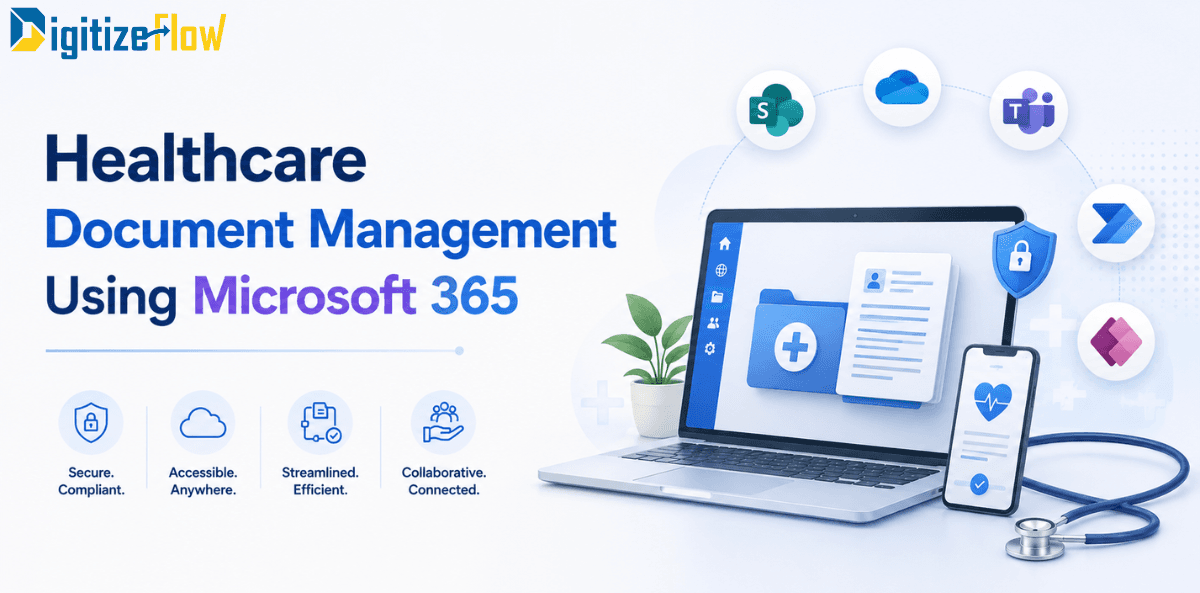
Healthcare Document Management Using Microsoft 365
Discover how healthcare organizations can replace shared drives with Microsoft 365 to enforce version control, secure administrative documents, and streamline accreditation processes.
Walk into almost any hospital and ask where the current infection control policy lives. You will usually get three answers.
The quality department has a controlled copy in a binder. The intranet has a PDF, uploaded at some point by someone who has since left. The head nurse on the third floor has a printed version taped inside a cupboard door, which is the one the staff actually use, and which may or may not match the other two.
Meanwhile the hospital has just spent a considerable sum on an EMR that handles patient records beautifully and has nothing whatsoever to say about the infection control policy, the credentialing file of the doctor who wrote it, the committee minutes that approved it, or the accreditation evidence that proves it is being followed.
This article is about that gap: the large, unglamorous body of documentation that runs a healthcare organization, why Microsoft 365 is unusually well suited to it, and the boundaries you must draw before you start.
Start by drawing the line
The first and most important decision in any healthcare document project is what does not go into the system.
The EMR owns the clinical record. Patient charts, clinical notes, diagnostic results, orders and everything that forms the legal medical record stay in the clinical system. That system is regulated, validated and integrated with health information exchanges. Nothing in this article proposes moving any of it.
Microsoft 365 owns the operational and administrative document estate. This is the part nobody bought a system for, and it is substantial. Policies and standard operating procedures. Clinical protocols and guidelines as controlled documents. Credentialing and privileging files. Accreditation evidence. Committee minutes and decisions. Equipment records and biomedical maintenance files. Supplier contracts and procurement documentation. Incident reports and their investigations. Training records. Licences and regulatory correspondence. Quality improvement projects. Departmental forms and checklists.
In most hospitals this second category is larger by volume than the first, and it is almost universally managed on shared drives, email and paper.
Drawing this line explicitly at the start does two things. It stops the project drifting into clinical territory where it does not belong, and it gives you a clean, defensible answer when the compliance officer asks what will be stored where. Write it down, get it signed, and treat any request to store clinical content in the document system as an architectural decision requiring review rather than a small favour.
Why this estate causes disproportionate pain
Healthcare documentation has three properties that ordinary corporate documentation does not, and together they explain why shared drives fail so badly here.
Currency is a patient safety matter. In most industries, working from a superseded document is an inconvenience. In a hospital, a nurse following a withdrawn protocol is a clinical incident. A document system that cannot guarantee that the copy in someone's hand is the current one is not merely inefficient.
Evidence must be producible on demand. Accreditation bodies do not accept the assertion that a policy exists. They want to see the approved version, its effective date, its review history, the signature of the person who approved it, and proof that the staff who must follow it have acknowledged it. Reconstructing that from a shared drive is where quality teams lose entire months.
Access must be precise in both directions. Some documents must reach every clinical employee immediately. Others, credentialing files and investigation reports in particular, must reach very few people and must record who looked. Shared drive permissions rarely achieve either reliably.
What Microsoft 365 gives you, concretely
Most hospitals already own these licences, which makes the economics unusual: the platform cost has been paid, and what remains is configuration.
Controlled versioning with a real approval state. A document library can hold drafts invisible to general staff while publishing only approved major versions, so the version the nurse opens is by definition the approved one. This single capability solves the most dangerous problem on the list.
Metadata that turns a library into a register. Document type, owning department, approval date, effective date, review due date, version number, approver. Once these are enforced at upload, your policy library becomes queryable: every policy due for review in the next sixty days, every policy owned by a department, every policy still in draft past its target date.
Workflow for review and acknowledgement. Automated routing for review and approval, with the trail recorded. Automatic reminders to owners before review dates. Read-and-acknowledge campaigns where staff confirm they have read a new protocol, and the system records who has and who has not, which is exactly the evidence an accreditation surveyor asks for.
Retention and disposition as policy, not habit. Retention labels applied by document type, enforcing the periods your regulator and your own policy require, with defensible disposition at the end. Healthcare retention periods are long and vary by document class, which makes manual management unrealistic at scale.
Sensitivity labels and encryption that travel with the file. A credentialing file or an investigation report remains protected when it is downloaded or forwarded, which addresses the most common real-world leak path.
Audit and reporting across everything. Who accessed what, when, and what they did. In a sector where access logging is a regulatory expectation rather than a nice-to-have, this is not a minor feature.
Mobile access with the same controls. Clinical staff are not at desks. Policy access on a phone, with the same permissions and the same version guarantee, is the difference between a system that is used and one that is bypassed.
The compliance architecture, handled properly
This is the part that deserves care, and where regional specifics matter more than generic advice.
Data residency is a sector question, not a general one. The federal data protection positions in the Gulf allow considerable flexibility for ordinary commercial data, but healthcare sits under sector-specific rules that are far stricter. In the UAE, entities regulated by the health authorities are required to keep patient records inside the country, and organizations operating across mainland and free zones such as DIFC or ADGM must treat movement between those jurisdictions as a cross-border transfer with its own compliance stack. In Saudi Arabia, transfers of sensitive categories including health data can require prior authorization, and cloud providers operate under a registration and classification regime that determines which sectors and data classes they may serve.
The practical consequence for a document project: establish your tenant's data location, confirm it against your regulator's requirements for each document class you intend to store, and record that determination in writing. Do this in week one, not after the pilot.
Permissions designed around roles, not people. Build your access model on security groups that map to organizational roles, sourced from the HR system or directory where possible. Credentialing files visible to the credentialing committee and the individual. Investigation reports restricted to the investigation team. Policies readable by all clinical staff and editable by owners only. When a nurse changes department, group membership changes and access follows automatically.
Least privilege, because AI raised the stakes. Assistive AI surfaces content based on what exists and who is permitted to see it. In a healthcare tenant that makes over-permissioned libraries a confidentiality risk rather than a tidiness issue. Audit broad sharing links and site permissions before enabling anything that summarizes content across the estate.
Business associate and processor obligations documented. Whatever framework applies to you, the contractual layer needs to exist alongside the technical one. Cloud compliance in the region is assessed on both.
Accreditation, where the return shows up fastest
If you want a business case that survives scrutiny, anchor it to accreditation.
Whether the organization is preparing for JCI, CBAHI or a national licensing inspection, the preparation work is remarkably consistent: locate every required policy, verify each is current and approved, prove staff have been trained and have acknowledged them, produce committee minutes showing oversight, and evidence that equipment maintenance and competency records are complete.
Done from shared drives, that is three to six months of a quality team's life, repeated every cycle, producing a binder that is obsolete the week after the survey.
Done from a properly structured document system, most of it is a saved view. Policies by chapter with their current status and review dates. Acknowledgement reports by policy and by department. Minutes indexed by committee and date. Maintenance records by asset. The work shifts from assembling evidence to maintaining it continuously, which is also what the standards actually intend.
That shift is the single clearest return in a healthcare document project, and it is measurable: compare the hours spent on the last accreditation cycle with the hours spent on the next one.
A sequence that works
Begin with the policy and procedure library. It is the highest-risk document class, it is universally painful, it affects every department, and it demonstrates value quickly. Define document types, numbering, the approval matrix and review cycles. Migrate the current approved set only, never the accumulated archive. Every superseded copy you migrate is a future patient safety incident waiting for a search result.
Add acknowledgement and review automation next. Once the library is clean, automated review reminders and read-and-acknowledge campaigns turn it from a repository into a control system. This is also where the quality department becomes your strongest internal advocate.
Then take the restricted classes. Credentialing, incidents, contracts. These need tighter permissions and more careful design, and they benefit from the patterns you established in the first two phases.
Then the operational long tail. Equipment files, training records, committee libraries, departmental forms. By this point the templates, metadata and governance exist, so each additional class costs a fraction of the first.
Throughout, keep one rule: a document class enters the system only when its owner, its retention period and its access model have been decided. Content without those three attributes is how a document management system quietly turns back into a shared drive.
The honest summary
Microsoft 365 will not manage your patient records, and no responsible advisor would suggest otherwise. What it will do is take the seventy percent of your documentation that currently lives on shared drives, in binders and taped inside cupboard doors, and put it under version control, access control, retention policy and audit, using licences the organization has almost certainly already bought.
For most hospitals that is not a modest improvement. It is the difference between an accreditation cycle that consumes a department for six months and one that produces evidence on request, and between hoping the protocol in someone's hand is current and knowing it.
Digitize Flow builds document management systems and automated workflows on Microsoft 365 and SharePoint for healthcare and enterprise organizations across the Middle East, with a focus on controlled documentation, accreditation evidence and regulated retention.
Book a healthcare document assessment and we will map your document classes, review your permissions and residency position, and give you a phased plan starting with the policy library.