How to Digitize Approval Workflows in Enterprises
Are email chains stalling your business decisions? Learn how architecting dynamic, automated approval workflows with Microsoft Power Automate can eliminate bottlenecks, enforce strict compliance, and accelerate enterprise agility.
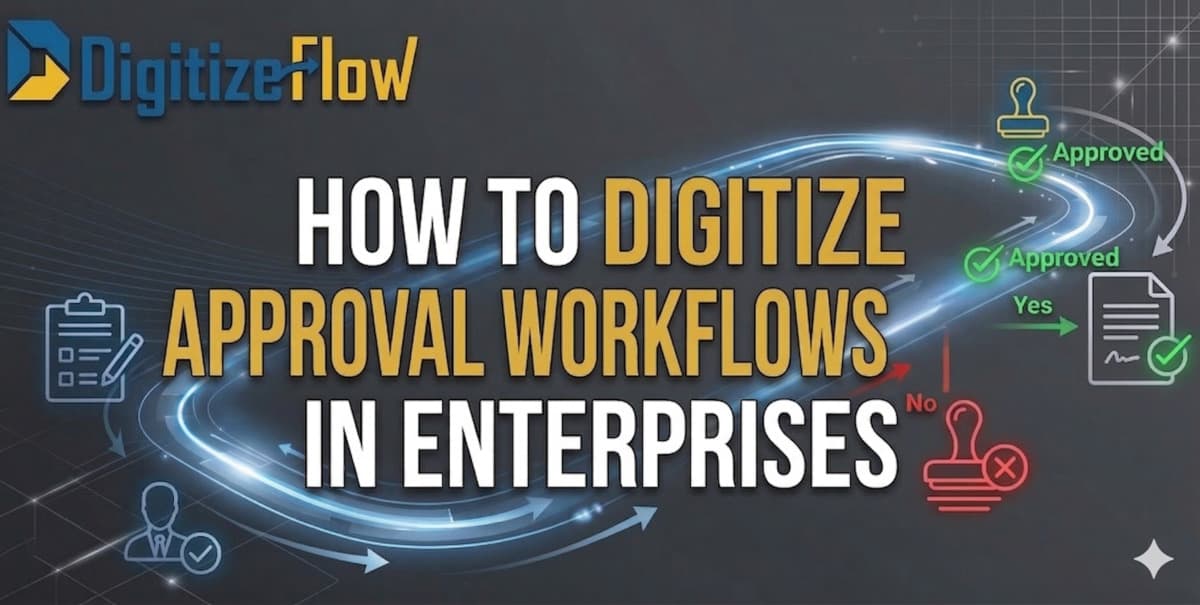
HOW TO DIGITIZE APPROVAL WORKFLOWS IN ENTERPRISES
Enterprises bleed revenue in the space between "Submitted" and "Approved".
While the vast majority of organizations today claim to have achieved full digital transformation, their daily operational reality often tells a very different, highly inefficient story. For many corporate environments, "going paperless" simply meant replacing physical paper with a chaotic, unmanageable web of endless email chains, disjointed Microsoft Teams messages, and deeply buried PDF attachments. This is not true digital transformation; it is merely digital bureaucracy.
To truly digitize approval workflows in enterprises, executive leadership must decisively shift their focus from merely creating electronic forms to architecting intelligent, dynamic, and fully automated decision engines. This comprehensive guide explores how modern, agile enterprises move far beyond static approvals and achieve flawless, enterprise-grade workflow automation using the Microsoft Power Platform.
The Illusion of Digital Transformation: Why Email Approvals Fail
Before exploring the technical solutions and architectural frameworks, it is critically vital to understand exactly why current "digital" approval processes fail so spectacularly within large, complex organizations. Relying on static, email-based approval chains introduces severe, measurable operational bottlenecks:
The "CC" Black Hole: Critical capital expenditure (CapEx) requests or multi-million-dollar vendor contracts get forwarded and carbon-copied to half the department. Eventually, these critical documents get buried under hundreds of daily emails, completely stalling project momentum and frustrating your workforce.
Broken Hierarchical Chains: When a department director goes on sudden annual leave, or a key manager unexpectedly resigns, traditional approval chains break down completely. Requests are sent to inactive inboxes, requiring manual, time-consuming IT intervention to physically reroute the documents to the correct acting authority.
The "Where is my Request?" Syndrome: Employees at all levels waste countless hours actively chasing signatures, sending polite follow-up messages, or calling managers to track the status of a simple purchase order. This lack of visibility creates organizational friction and destroys productivity.
Severe Audit and Compliance Nightmares: Proving to strict external auditors exactly who authorized a massive vendor invoice—by desperately searching through a forwarded email chain from six months ago—is a massive, unacceptable compliance liability in today's regulatory environment.
The Hidden Financial Toll of Manual Approvals
The cost of manual, poorly structured approvals extends far beyond simple administrative frustration. It has a direct, highly measurable negative impact on the enterprise's bottom line:
Lost Financial Opportunities: Delayed invoice approvals routinely mean missing out on lucrative early-payment discounts from major vendors. Worse, continuous delays often result in the enterprise incurring strict late-payment financial penalties and damaging critical supplier relationships.
Stalled Go-to-Market Strategies: If a critical marketing budget, a new product launch plan, or a vital software procurement request takes three weeks to get officially signed off by the executive board, your agile competitors have already won the market window.
Significant Talent Drain: Highly paid engineers, HR professionals, and financial analysts are not hired to push digital paper. When your top talent spends up to 20% of their week manually chasing approvals, you are suffering a massive drain on strategic intellectual capital.
Categorizing Enterprise Workflows: What Should Be Automated?
Not all approvals are created equal. To maximize Return on Investment (ROI) from your Microsoft Power Automate deployment, enterprises should prioritize digitizing processes that carry high volume, high financial risk, or strict compliance requirements.
1. Finance and Procurement Workflows
The financial department is the most critical area for automation. Workflows here require absolute precision and zero data loss.
Purchase Requisition (PR) to Purchase Order (PO): Automating the cycle from the initial departmental request, through budget verification, to the final generation of a legally binding PO.
CapEx Approvals: Managing heavy Capital Expenditure requests that require sequential approvals from Department Heads, the CFO, and the CEO based on specific financial thresholds.
Vendor Invoice Processing: Routing incoming vendor invoices to the exact project manager responsible for the deliverables before releasing the payment.
2. Human Resources (HR) and Talent Acquisition
HR manages highly sensitive personal data, making automated, secure routing essential.
The Recruitment Cycle: As detailed in advanced HR deployments, the entire cycle from initial Manpower Planning and budget approval to Interview Scheduling and Offer Generation must flow seamlessly without manual data entry.
Cross-Departmental Onboarding: When a new hire is approved, the workflow must instantly trigger IT to provision Azure Active Directory (AD) credentials and notify Facilities to prepare the physical workspace.
3. IT and Security Operations
IT departments must lead by example, utilizing workflows to secure the organization's digital perimeter.
System Access Requests: When an employee needs access to a restricted SharePoint site or an ERP module, a workflow ensures the data owner explicitly approves the request before Active Directory automatically grants the specific permission.
Hardware Provisioning: Managing the request, executive approval, and inventory allocation of expensive corporate hardware (laptops, mobile devices).
Architecting an Enterprise-Grade Workflow: The 4 Core Pillars
A robust, enterprise-grade digital workflow requires deep conditional logic, not just basic digital signatures. When architected correctly through Microsoft Power Automate, workflows become intelligent, invisible engines that drive the business forward with absolute precision.
Here is exactly how modern enterprises structure their approval cycles:
Pillar 1: Dynamic Routing via Azure Active Directory (AD)
Modern, scalable workflows do not rely on hardcoded names (e.g., "Send to John Doe"). If John Doe leaves the company, the workflow breaks. Instead, enterprise workflows rely on dynamic organizational roles. By integrating Power Automate deeply with Azure Active Directory, the system dynamically identifies the correct line manager at the exact moment a request is submitted by reading the live organizational chart. If the corporate hierarchy changes, or someone is promoted, the workflow adapts instantly without requiring a single line of new code from the IT department.
Pillar 2: Multi-Tiered Conditional Logic
Enterprise decisions are rarely straightforward. An intelligent workflow actively evaluates the submitted data before deciding where to route it. For example, a purchase requisition under $1,000 is automatically routed to the direct department manager. However, if the system's logic detects the value exceeds $10,000, it instantly triggers a parallel, multi-tier approval sequence. This sequence might require secure, documented sign-off from both the CFO and the Procurement Director simultaneously before proceeding. If the value exceeds $50,000, the workflow automatically adds the CEO to the final, critical approval stage.
Pillar 3: Automated SLAs and Intelligent Escalation
Agility demands strict accountability. Automated workflows enforce rigid Service Level Agreements (SLAs) on decision-makers. However, the logic must be highly precise. Crucially, an enterprise system must distinguish between a pending item and a truly "overdue" item, applying overdue status and escalation protocols strictly to pending items that have breached their specific, predefined deadline.
If an urgent legal contract approval is pending and approaches its deadline, the system automatically sends a targeted reminder.
If the exact deadline is breached, the status changes to overdue, and the workflow intelligently escalates the request to the next authoritative level (e.g., from the Manager to the Department Head), ensuring zero permanent bottlenecks.
Furthermore, out-of-office delegation logic ensures that if a manager is officially on leave, their approval authority is temporarily and automatically reassigned to a designated, pre-approved deputy.
Pillar 4: Omnichannel Approvals (Microsoft Teams & Mobile)
C-Level executives and busy directors do not have the time to log into a clunky web portal just to approve a document. Power Automate solves this by bringing the approval directly to where the executive is already working. Managers can instantly review the request details, view the deeply linked attached documents, and click "Approve" or "Reject" directly inside a Microsoft Teams chat window. Alternatively, they can execute the approval via a secure push notification on their smartphone while in transit, drastically reducing the time-to-decision.
Integrating Artificial Intelligence (AI) into Workflows
The next evolution of the enterprise workflow is the integration of Cognitive Services. By embedding Microsoft AI Builder directly into your Power Automate flows, you eliminate the need for humans to initiate the process manually.
Consider vendor invoicing: Instead of an accountant manually typing invoice details into a SharePoint list to start an approval flow, the AI Builder automatically reads the incoming PDF invoice from an email. The AI intelligently extracts the total amount, the vendor name, and the Purchase Order (PO) number. It then independently cross-references this data with your ERP system and automatically routes it to the correct project manager for final financial approval. This represents true, end-to-end automation.
The Ultimate Compliance Shield and Audit Trail
For highly regulated industries (such as finance, real estate, healthcare, and construction), the single most powerful feature of an automated workflow is its unalterable, mathematical transparency.
Every single action, click, and decision within a Power Automate flow is systematically logged in the background. Finance directors and internal audit teams gain instant access to a complete, bulletproof audit trail. Management can instantly generate precise reports detailing exactly when a document was submitted, who viewed it, when it was officially approved, and the exact digital timestamp.
This completely eliminates compliance risks during rigorous regulatory audits (such as ISO certifications, GDPR compliance, or SOC2 audits), as the automated system itself guarantees mathematically that no step in the mandatory corporate process was skipped, altered, or bypassed.
Measuring the ROI of Digital Workflows
To justify the investment in workflow automation, enterprises must measure the correct Key Performance Indicators (KPIs). Post-deployment, leadership should track:
Average Time-to-Decision: Measuring the exact reduction in hours or days it takes for a request to move from submission to final approval.
Process Abandonment Rate: Tracking how many requests are canceled or lost due to procedural friction.
Manual Touchpoints: Counting how many times a human physically had to intervene in a process. A successful Power Automate deployment should reduce manual data entry touchpoints by at least 80%.
Architect Your Digital Workflows with Digitize Flow
Deploying complex enterprise logic requires far more than basic software configuration; it requires deep architectural expertise, an intimate understanding of Microsoft 365, and a profound understanding of corporate governance.
At Digitize Flow, we specialize in mapping, deeply analyzing, and fully automating your most complex business processes using the complete Microsoft Power Platform ecosystem. We do not just build IT forms; we engineer foolproof, highly intelligent approval workflows that definitively protect your compliance, eliminate manual follow-ups, and dramatically accelerate your daily operations.
Whether you need to automate a massive CapEx approval matrix, digitize your HR recruitment and onboarding cycles, or streamline complex vendor payments, our certified expert consultants ensure your enterprise achieves a frictionless, highly profitable digital reality.
Stop bleeding revenue while waiting for basic approvals. Contact Digitize Flow today, and let us build the intelligent, automated workflows your enterprise demands.
To further streamline your operations, explore how to automate HR processes using Power Platform or compare Power Automate vs UiPath for your automation needs.