How to Transform SharePoint from Cloud Storage into an Interactive Employee Intranet in 2026
Turn SharePoint into a powerful employee intranet. Discover how to boost collaboration, automate workflows, and create a modern digital workplace your team will actually use.
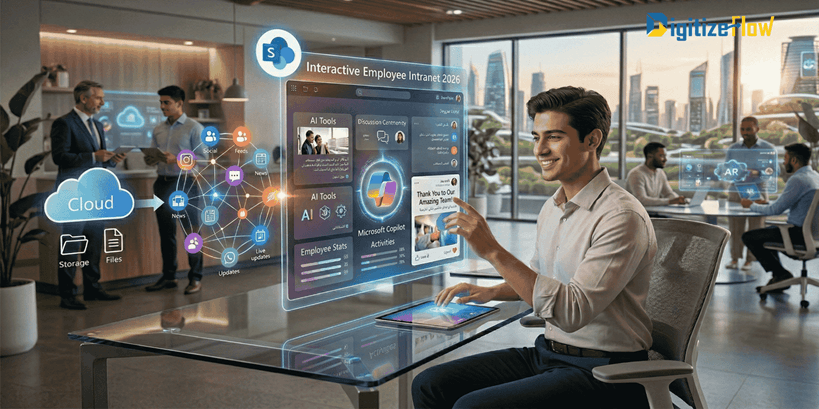
Are you still leveraging SharePoint merely as a basic "dumping ground" for files and folders in 2026? If so, you are missing out on its true potential. Discover how to transform it from a static cloud storage solution into a dynamic, interactive employee intranet that fosters collaboration, breaks down departmental silos, and boosts productivity. This guide will show you the latest strategies to maximize SharePoint’s capabilities this year.
Understanding the Shift: From Cloud Storage to Employee Intranet in 2026
Over the years, SharePoint has evolved significantly. The days of endless, unorganized document libraries are gone. In 2026, organizations are moving beyond basic storage to create engaging digital workplaces. This transformation enables employees to access information, collaborate on live documents, and communicate effectively within a unified environment. Driven by hybrid work models, companies are leveraging SharePoint to build a centralized "Hub" that integrates seamlessly with the rest of the Microsoft 365 ecosystem.
Key Benefits of Transforming SharePoint into an Interactive Intranet
Turning your SharePoint environment into a modern intranet offers measurable business advantages:
Silo-Free Collaboration: Facilitate team projects and document co-authoring without the chaos of email attachments.
Centralized Company Culture: Features like personalized news feeds, HR hubs, and Microsoft Viva integrations foster a sense of community.
Automated Productivity: Quick access to policies, combined with Power Automate workflows, reduces time spent on routine approvals.
Streamlined Communication: Stop losing company announcements in crowded inboxes by using targeted SharePoint news pages.
Step-by-Step Guide to Modernizing Your SharePoint Environment
1. Assess Your Current Environment Begin by auditing your existing SharePoint setup. Identify "ghost sites" (unused sites), outdated permissions, and areas where files are poorly structured.
2. Define Clear Objectives Establish what you want to achieve. Are you trying to digitize the HR onboarding process? Or build a centralized knowledge base for the IT support team? Set measurable goals.
3. Plan Your Intranet Architecture (Hub Sites) Design a user-friendly layout. Instead of flat subsites, utilize SharePoint Hub Sites to connect related departments (e.g., grouping HR, Payroll, and Training under an "Employee Services" hub) with unified navigation.
4. Leverage Power Platform Integrations This is where true transformation happens. Embed Power Apps directly into SharePoint pages to create interactive forms (like leave requests or IT tickets), and use Power Automate to trigger notifications in Microsoft Teams when a new document is uploaded.
5. Implement Customization & Corporate Branding Move away from out-of-the-box templates. Align the intranet's appearance with your corporate branding using custom themes, company colors, and tailored web parts to foster a sense of ownership.
6. Train and Support Your Users Provide comprehensive training sessions. An intranet is only as powerful as the employees using it. Ensure your team understands how to utilize search functions and collaborative tools.
Leveraging Recent SharePoint Features Released in 2026
The latest updates have introduced game-changing features that empower companies to build a smarter intranet:
AI-Powered Content & Copilot Integration: Automatically tailor news and draft content using Microsoft Copilot, making the intranet a smart assistant rather than just a portal.
Advanced Video Integration: Seamless integration with Microsoft Stream allows for hosting company-wide town halls and training videos directly on the home page.
Dynamic Responsive Web Parts: Pages now adapt flawlessly to any device, ensuring frontline workers can access the intranet via their mobile phones.
Integrating the Microsoft Ecosystem for Enhanced Interactivity
While SharePoint is the foundation, integrating it with the broader Microsoft suite is what creates a true digital workplace:
Microsoft Teams: Pin your new SharePoint intranet directly inside Teams using Viva Connections so employees never have to switch apps.
Knowledge Management: Utilize SharePoint Premium (Syntex) to automatically tag and organize documents using AI.
Data Visualization: Embed live Power BI dashboards on department pages to keep teams updated on KPIs and metrics.
Future Trends: Low-Code and Intelligent Workspaces
Looking ahead, the future of SharePoint is heavily focused on Low-Code Development. Empowering businesses to build custom intranet components and automate workflows without writing complex code is the new standard. Staying ahead means continuously adapting to these innovations, making your intranet a strategic pillar for business growth.
Ready to Build Your 2026 Intranet?
Transforming SharePoint requires more than just turning on features; it requires strategic architecture, secure permissions, and seamless automation.
At Digitize Flow, we specialize in designing and developing custom SharePoint Intranets tailored to your business needs. From initial architecture to Power Platform integrations, we build digital workspaces that your employees will actually love using.
[Contact us today] to schedule a consultation and see how we can modernize your workflow!
.png&w=3840&q=75)