How Enterprises Are Replacing Legacy Systems with SharePoint Online
Legacy systems almost never die from a decision; they die from a dependency. Discover why enterprises are migrating to SharePoint Online, how to handle undocumented business logic, and the top five migration mistakes you must avoid.
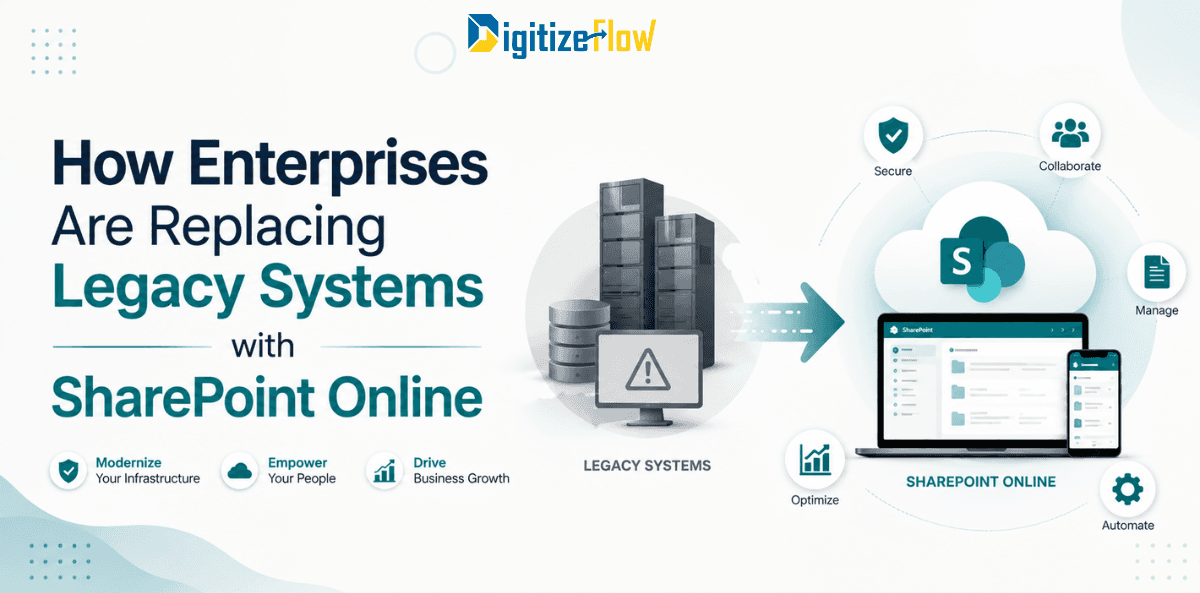
Legacy systems almost never die from a decision. They die from a dependency.
The server reaches the end of its warranty. The one developer who understood the code leaves. The database version stops being supported by the operating system that stops being supported by the hardware. Or a date arrives on a Microsoft lifecycle page and the risk register changes colour.
That last one happened on 14 July 2026, when extended support ended for SharePoint Server 2016 and 2019. Both farms keep running perfectly well, which is precisely what makes the situation dangerous. No patches, no security updates, no support incidents, and no extended security update programme of the kind Microsoft offered for some other products. Anyone still on those versions today is running an unsupported platform that works fine right up until the morning it does not.
That deadline, now behind us, is why a particular conversation is happening in so many enterprises at once. But it is worth looking past the deadline at what is actually being replaced, and more usefully, at what should not be.
What is actually moving
In practice, five categories of legacy system account for almost all the migrations we see.
File servers and shared drives. Still the single largest category. Twenty years of folders, nested fifteen levels deep, with permissions nobody can explain and a naming convention that changed three times. The move delivers version history, co-authoring, search, retention and remote access without VPN.
On-premises SharePoint farms. The 2013, 2016 and 2019 estates now out of support, usually carrying classic workflows, InfoPath forms and custom solutions built when those were the right answers. Note that the dependent technologies retired alongside: InfoPath Forms Services and SharePoint 2010 workflows hit the same July 2026 date, so the forms and workflows need a destination, not just the content.
Home-grown departmental applications. The Access database that runs the asset register. The internal web application built in 2009 by someone who has since left. These are usually small, business-critical, undocumented, and terrifying in roughly that order.
Standalone document management and ECM platforms. Often expensive, often lightly used, frequently delivering a subset of what the organization's existing Microsoft licences already cover.
Processes that live in email, paper and spreadsheets. Not a system at all, strictly speaking, but functionally legacy, and often the highest-value thing to replace because there is no incumbent to decommission.
What should not move
This is the part most vendor content leaves out, and it is the part that protects you.
SharePoint Online is an excellent destination for documents, departmental processes, structured lists, collaboration and internal portals. It is the wrong destination for:
Transactional systems of record. ERP, financial ledgers, payroll. Anything where the integrity of a transaction is the product.
Applications with complex relational logic and high transaction volumes. If the business logic involves many related tables, intricate calculations and thousands of writes per hour, you want a proper application database. Within the Microsoft stack that points to Dataverse or Azure SQL with a Power Apps front end, not a SharePoint list.
Regulated clinical or specialist systems. Electronic medical records, laboratory systems, SCADA. These have their own validation and integration obligations.
Anything requiring real-time processing. SharePoint is a document and collaboration platform. It is not a message bus or a real-time engine.
Say this clearly at the start of the project. Half the failed SharePoint replacements of the last decade were systems that should never have been candidates, pushed in because the platform was already paid for.
The honest framing: you are not replacing your systems with SharePoint Online. You are replacing one category of system, the document-and-process category, and you are doing it with a platform that happens to already be licensed.
Why SharePoint Online wins when it wins
Three reasons, and the first is unglamorous and decisive.
The licence is already bought. Most enterprises already pay for Microsoft 365. Replacing a legacy platform with something the organization already owns converts a recurring licence cost into a one-time configuration cost. That is the argument finance understands.
It is a platform, not a product. This cuts both ways and it is worth being honest about. A closed DMS product arrives with its workflow engine, its forms and its interface, all fixed. SharePoint Online arrives with storage, security, search, identity and an automation layer, and expects you to build the fit. That is why "just move it to SharePoint" fails and why a properly designed solution on SharePoint succeeds. The work moves from configuring someone else's assumptions to encoding your own.
Governance and identity are inherited. Conditional access, multi-factor authentication, data loss prevention, sensitivity labels, retention policies and audit logging already exist in the tenant and apply automatically. A standalone replacement system means reproducing that entire layer, which is almost always underestimated.
There is now a fourth reason that did not exist a few years ago. Content inside Microsoft 365 is reachable by the assistive AI layer the organization is already licensing. Content in a legacy system is not. For many enterprises that has quietly become the strongest argument of the four, because it turns a migration from a cost-avoidance exercise into an enabler for everything they want to do next.
The data is not the hard part
Every migration plan allocates most of its effort to moving content. Every migration then discovers that content was the easy part.
The hard part is the undocumented business logic. In any legacy system that has been running for a decade, roughly twenty percent of how it behaves is not written down anywhere. The approval that skips a step when the requester is in a particular department. The report that excludes a category for a reason nobody remembers. The field that is technically optional but which the finance team treats as mandatory.
None of this is in the documentation, because there is no documentation. It is in the heads of three or four people, and it surfaces during user acceptance testing when someone says the new system "does not work," meaning it does not reproduce a behaviour they never mentioned.
Two practices reduce the pain substantially. First, run structured discovery with the actual users rather than the system owner, and ask specifically about exceptions: when do you not follow the normal path, and why. Second, treat every discovered rule as a decision rather than a requirement. Half of those rules exist because the old system forced them. Carrying them into the new one is how organizations migrate their constraints along with their content.
Migration patterns that work
Strangle rather than replace. Instead of a single cutover, move one function at a time while the legacy system continues to run. New documents are created in SharePoint while the old system serves history. Each function moved reduces the legacy footprint until what remains is small enough to switch off with little ceremony. This is slower on paper and faster in practice, because it never requires the organization to hold its breath.
Separate the archive from the active estate. Most content in a twenty-year-old system is never accessed again. Migrate what is active, and move the rest into a read-only archive with search. This typically reduces migration volume by half or more, and it removes the pressure to perfect the metadata of content nobody will open.
Rebuild forms and workflows, do not port them. With InfoPath and classic workflows now retired, there is no porting path anyway, which is a hidden blessing. Rebuild in Power Apps and Power Automate with the current process in mind rather than the process as it was designed in 2012.
Run in parallel briefly, and set an end date. Parallel running de-risks the transition, but without a hard date it becomes permanent, and permanent parallel running means the legacy system never gets decommissioned and the saving never arrives.
Decommission formally. The project is not finished when the new system launches. It is finished when the old server is switched off, the licence is cancelled and the saving appears. Write that step into the plan with a named owner, because it is the step that silently does not happen.
Five mistakes that recur
Lifting the folder structure across unchanged. A fifteen-level folder tree migrated faithfully is the same problem in a new location, now with worse search because metadata was never added. Flatten and classify, or do not migrate.
Migrating everything. Volume is not fidelity. Content with no owner, no access in five years and no retention requirement should be archived or disposed of, not carried forward.
Recreating the old interface. Users ask for this because it is familiar. Granting it guarantees the new system inherits every limitation of the old one and gains none of the benefits of the new platform.
Treating it as an IT project. The migration is technical. The decisions about structure, ownership, retention and process are business decisions. Without a business owner, those decisions default to IT, which means they default to whatever the old system did.
Underestimating the change. People have twenty years of muscle memory in the old system. Training, champions and a visible support path during the first weeks cost a fraction of the build and determine whether the build gets used.
Where to start, if you are still on an unsupported platform
If you are past the July deadline on 2016 or 2019, your first task is not migration planning. It is risk reduction this month: confirm no farm is internet-facing, verify backups restore, and document the exposure for your risk register, because an unsupported platform is now an audit finding and potentially an insurance question.
Then inventory honestly: every site, every custom solution, every classic workflow, every InfoPath form, every integration. The inventory is always larger than expected, and it is what makes the plan credible.
Then classify each item into four buckets: migrate as is, rebuild on the modern platform, archive read-only, or retire entirely. In most estates the fourth bucket is larger than anyone expects, and every item in it is effort you do not spend.
Then sequence by risk and value, starting with something bounded enough to deliver in weeks. The first migration teaches you more about your own estate than any assessment document will, and it gives everyone involved the thing that makes the rest of the programme possible, which is evidence that it works.
Digitize Flow migrates legacy platforms, file servers and on-premises SharePoint farms to SharePoint Online and Microsoft 365 for enterprises across the Middle East, and rebuilds the document systems and workflows that sat on top of them.
Book a legacy assessment and we will inventory your estate, classify what should move, rebuild or retire, and give you a sequenced migration plan with the decommissioning built in.