How Construction Companies Manage Documents Using SharePoint
Is poor document control delaying your construction mega-projects? Discover how implementing Microsoft SharePoint as an enterprise-grade DMS can permanently eliminate version control nightmares, automate RFI workflows, and secure your project data.
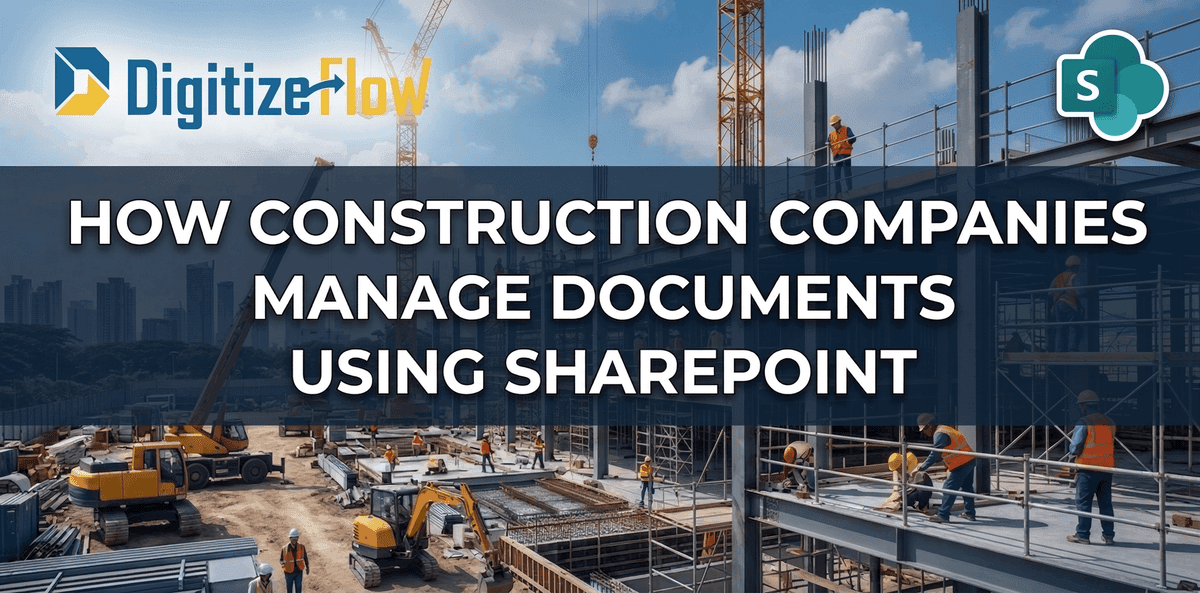
How Construction Companies Manage Documents Using SharePoint: The Ultimate DMS Guide
A comprehensive guide to eliminating document chaos in construction and real estate mega-projects
Successfully executing a mega-project in the construction and real estate industry requires much more than heavy machinery and raw materials. It demands flawless, real-time control over thousands of highly critical documents from evolving architectural blueprints to complex financial contracts.
Despite this reality, many construction firms still run their multi-million-dollar projects on chaotic email chains, physical paper trails, or rigid traditional file servers. According to McKinsey, large construction projects typically take 20% longer to finish than scheduled and run up to 80% over budget poor document management is a leading contributor to this gap.
The enterprise-grade solution to this chaos is Microsoft SharePoint. When architected correctly by industry experts, SharePoint transforms from a basic storage drive into a highly dynamic, intelligent Document Management System (DMS). This guide explores how modern construction companies leverage SharePoint and the Microsoft Power Platform to eliminate costly delays, enforce rigid version control, and seamlessly connect the construction site to the corporate office.
The Hidden Cost of Traditional Document Management
Before exploring technical solutions, it is vital to understand the immense operational risks associated with poor document management in construction. Industry research reveals some alarming statistics:
• Construction workers spend an average of 35% of their time on non-productive activities, including searching for information and managing document errors.
• Rework caused by poor information management accounts for up to 9% of total project costs (FMI Research).
• Over 13% of construction project costs are spent on resolving conflicts arising from outdated or incorrect documents.
The most immediate problems stem from three critical failure points: version control nightmares (building based on outdated CAD drawings), buried RFIs that halt on-site execution, and siloed data where contractors and consultants operate on completely disconnected systems. Each of these failures destroys the concept of a single source of truth — and ultimately leads to financial losses, legal penalties, and failed audits.
Why SharePoint Wins: 3 Core Pillars of a Construction DMS
SharePoint is uniquely equipped to handle the heavy, highly collaborative workflows of the construction sector because it fundamentally abandons the outdated concept of "folders." Here are the three core pillars that make it the industry standard:
1. Intelligent Metadata Mapping
In a traditional server environment, finding a specific electrical drawing requires clicking through endless, deeply nested folders. SharePoint solves this through metadata. Instead of hiding a document in a folder, SharePoint tags each document with specific, searchable attributes Project ID, Engineering Discipline, Document Type, and Approval Status.
A Project Manager can instantly filter a library of 10,000 documents to view only "Approved Electrical Blueprints for Tower A" a task that would take hours in a traditional folder structure now takes seconds.
2. The Single Source of Truth (Version Control)
SharePoint guarantees that every engineer, architect, and site manager is always working with the absolute latest version of a document. Through its built-in Check-In / Check-Out protocol, an engineer can "lock" a heavy blueprint while editing it, completely preventing conflicting copies. Every previous iteration is silently saved in the background, providing managers with an instant, complete audit trail.
This eliminates the single most expensive mistake in construction: building based on an outdated drawing. With SharePoint version control, that scenario becomes technically impossible.
3. Enterprise-Grade Cloud Scalability
Construction projects generate massive amounts of data heavy AutoCAD files, BIM models, high-resolution site photos, and complex financial reports. SharePoint Online offers massive, scalable storage that integrates seamlessly with Microsoft tools to securely host, render, and version-control these files without performance drops, even when accessed simultaneously from multiple job sites across the country.
Heavy Workflows: Automating the Job Site with Power Automate
To extract true enterprise value from your DMS, SharePoint must be paired with Microsoft Power Automate. This combination digitizes and accelerates the three heaviest construction processes:
Phase 1: Resolving the RFI Bottleneck
The Request for Information (RFI) cycle is historically one of the biggest delays on any construction project. A single unanswered RFI can halt an entire crew for days. Power Automate transforms this through a structured, transparent digital process:
• Instant Submission: A site engineer submits an RFI via a custom Power App directly from the construction site, attaching live photos of the structural issue.
• Automated Routing: Power Automate logs the RFI into a secure SharePoint list and simultaneously routes it to the Lead Consultant for technical review.
• SLA Escalation: If the RFI is not answered within a strict 48-hour Service Level Agreement, the system automatically escalates an alert to the Project Director — preventing costly site delays.
Phase 2: Streamlining Submittals and Transmittals
Managing the formal approval of materials requires absolute precision. Instead of exchanging messy emails, sub-contractors upload material submittals directly into a secure SharePoint portal. The system automatically generates a standardized Transmittal Cover Sheet by pulling metadata from the uploaded files. Once the consultant digitally approves the submittal, SharePoint instantly updates the document status to "Approved" and notifies the procurement team — eliminating the manual follow-up cycle entirely.
Phase 3: Automated Compliance and Inspection Tracking
Every construction project generates a continuous stream of inspection reports, safety checklists, and compliance certificates. With Power Automate, these documents are automatically routed to the responsible Quality Manager upon upload, flagged if critical signatures are missing, and escalated to the Project Director if approval deadlines are breached. This creates a bulletproof compliance trail that withstands any government audit.
Complex Security and External Collaboration
Construction projects are highly collaborative ecosystems requiring seamless data sharing with external architects, government auditors, and third-party vendors. SharePoint handles this through advanced permission logic:
• Breaking Inheritance: IT administrators can restrict specific document libraries so a third-party sub-contractor only has access to their discipline's folder, while the Executive Project Manager retains full site visibility.
• Secure External Sharing: Directors can securely share massive CAD files with external consultants using time-sensitive links that automatically expire after a set number of days.
• View-Only Restrictions: Executive budgets and final financial contracts can be restricted so external users can read but never download, print, or modify the data.
Bringing Intelligence to the Job Site: AI Builder Integration
Integrating AI Builder directly into your SharePoint architecture brings cutting-edge intelligence to standard operations, removing the burden of manual data entry from administrative teams:
• Automated Invoice Processing: AI reads thousands of incoming PDF invoices from suppliers, automatically extracting amounts, PO numbers, and routing them directly to Finance.
• Safety Report Extraction: The AI scans handwritten or photographed site safety incident reports and instantly transcribes unstructured data into a centralized SharePoint compliance list.
• Smart Document Search: Engineers can run advanced searches finding critical information not just by file name, but by the actual text contained inside scanned PDFs and construction images.
SharePoint DMS Implementation Roadmap for Construction
A successful SharePoint DMS deployment is not a simple software installation — it is a strategic architectural project. Based on our experience with major real estate and construction clients, we recommend a phased approach:
• Phase 1 — Discovery & Audit (Weeks 1–2): Map all existing document types, workflows, user roles, and regulatory compliance requirements across the organization.
• Phase 2 — Architecture Design (Weeks 3–4): Design the metadata taxonomy, permission structure, and library architecture before a single document is migrated.
• Phase 3 — Core Build & Automation (Weeks 5–8): Deploy the SharePoint environment, configure Power Automate workflows for RFI, submittals, and compliance processes.
• Phase 4 — Migration & Testing (Weeks 9–10): Migrate existing documents with metadata tagging and conduct end-to-end workflow testing with key users.
• Phase 5 — Training & Go-Live (Weeks 11–12): Deliver role-based training for site engineers, project managers, and executives, then officially launch the new DMS.
SharePoint vs. Traditional Alternatives: A Direct Comparison
To understand why SharePoint is the right choice for enterprise construction, consider how it compares to common alternatives:
Version Control: SharePoint provides full auto-versioning. In contrast, traditional file servers require manual tracking, and generic cloud options (like Dropbox or GDrive) offer only basic versions.
Metadata & Search: SharePoint excels with advanced filters and metadata mapping. File servers limit your search to folder names only, while generic clouds restrict searches strictly to the file name only.
Workflow Automation: SharePoint integrates deep Power Automate capabilities directly into your document libraries. This crucial feature is simply not available on traditional file servers and is highly limited in generic cloud storage.
External Collaboration: Sharing with external consultants is secure and time-limited with SharePoint. File servers often require a cumbersome VPN connection, and generic clouds offer only basic, less secure sharing features.
Microsoft 365 Integration: SharePoint offers native and seamless integration with the tools your team already uses (Teams, Outlook, Word). Both file servers and generic cloud platforms offer none.
Compliance & Audit Trail: SharePoint delivers a complete and automated audit trail for every single document interaction. Conversely, file servers depend heavily on manual logs, and generic clouds only provide partial compliance tracking.
Frequently Asked Questions
Is SharePoint suitable for small construction companies?
Yes. While SharePoint scales to enterprise mega-projects, it can be architected for smaller firms as well. The core benefits version control, automated workflows, and centralized access are valuable regardless of company size. A lean SharePoint implementation can be deployed quickly and cost-effectively for companies managing as few as 2–3 simultaneous projects.
How long does a SharePoint DMS implementation take?
A full enterprise deployment for a major construction company typically takes 10–12 weeks. This includes discovery, architecture design, build, data migration, and user training. A lean deployment for a smaller company can be completed in 4–6 weeks. The timeline is heavily influenced by the complexity of existing document structures and the number of automated workflows required.
Can SharePoint handle large BIM and AutoCAD files?
Yes. SharePoint Online supports individual file sizes up to 250GB. Combined with Microsoft's integration for specialized engineering file formats, it can host, render previews of, and version-control complex BIM models and AutoCAD files without the performance issues common with traditional file servers.
Build Your Digital Foundation with Digitize Flow
Deploying a true Document Management System for a mega-project requires far more than basic software installation. It requires deep architectural logic, precise metadata mapping, and rigorous security configurations all tailored to the unique demands of the construction sector.
At Digitize Flow, we are specialized experts in SharePoint, Power Automate, and the complete Microsoft ecosystem. We have extensive, proven experience designing robust intranet portals and complex document management architectures specifically tailored for major players in the real estate and construction sectors.
We do not just build IT systems we build the digital foundation that keeps your construction projects on time, on budget, and fully compliant