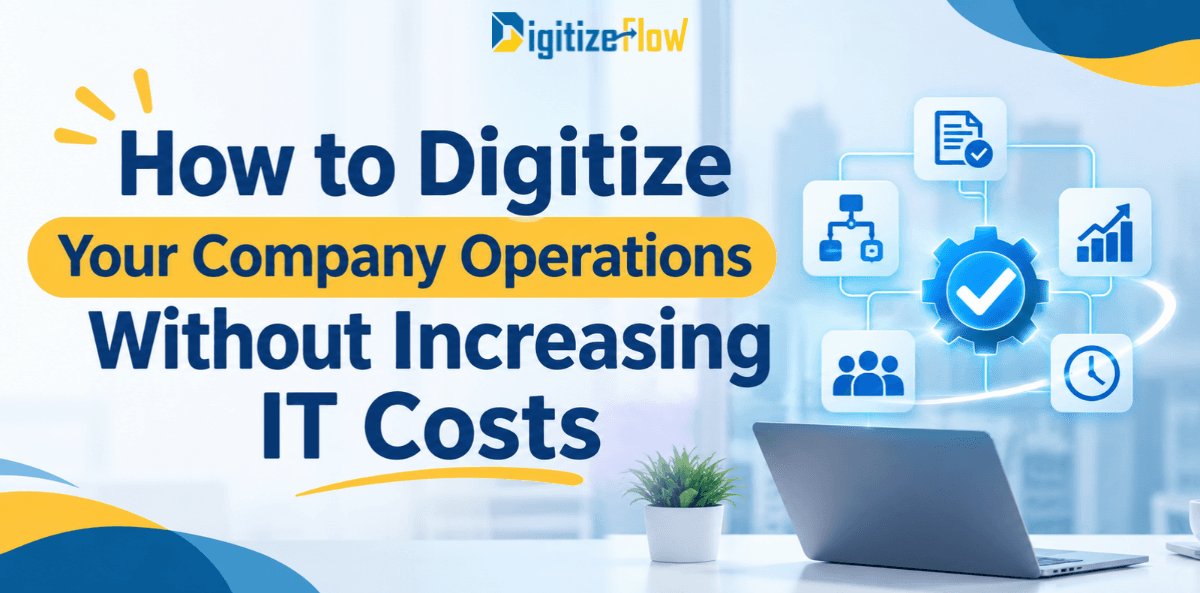
How to Digitize Your Company Operations Without Increasing IT Costs
Digitizing operations does not raise IT cost. Buying raises IT cost. Those are two separate decisions, and most organizations make the second one by habit.
The request arrives in almost identical wording every year. Operations wants processes digitized. Finance wants the IT budget flat or lower. The two are presented as a contradiction that someone has to resolve with a compromise.
They are not a contradiction, and the reason is worth stating plainly.
Digitizing a process does not raise IT cost. Buying raises IT cost. Those are two different decisions that have been bundled together for so long that most organizations no longer notice they are separable. The habit runs: identify a problem, shortlist vendors, buy a platform, implement it, add it to the annual licence renewal forever.
Each step after the first is optional. This article is about which ones to skip.
Where IT cost actually comes from
Before deciding how to avoid cost, it helps to be specific about what generates it. In practice there are five sources, and only one of them is the technology itself.
Recurring licences. The largest and most persistent, because it compounds. A platform at a modest per-user monthly rate across a few hundred users becomes a six-figure annual commitment that renews automatically and is rarely revisited.
Custom code that somebody must maintain. Every bespoke component is a liability with a maintenance schedule attached. It breaks when the platform updates, it needs the person who wrote it, and it gets rewritten when that person leaves.
Integration middleware. Often the quiet one. Two systems that do not talk to each other produce a third purchase whose only job is to connect them, and that third purchase then needs its own maintenance and expertise.
Infrastructure. Servers, storage, backup, disaster recovery and the administration time that comes with them. Less common than it was, and worth checking whether you are still carrying any of it unnecessarily.
People. Administrators, specialists, support. The cost that never appears in a software comparison and frequently exceeds the licence.
Now the useful observation. A digitized process needs a place for documents, a way to capture structured input, a way to route approvals, somewhere to see status, and a record of what happened. None of those requirements names a product. Most organizations already own every one of them.
The principle: use the capacity you have already bought
Most enterprises in the region hold Microsoft 365 licences. What those licences include is consistently underestimated, often because nobody has looked since they were purchased.
A standard Microsoft 365 entitlement typically brings document storage with versioning and retention, enterprise search, identity and conditional access, compliance and audit logging, and the ability to build apps and automated workflows against those same data sources with standard connectors. For a very large share of internal operational processes, that is a complete toolkit.
This is not an argument that everything is free. It is an argument that the gap between what you own and what you use is almost always larger than the gap between what you own and what you need. Closing the first gap costs configuration time. Closing it by purchase costs configuration time plus a perpetual subscription.
A practical way to see this: take your last three software purchases and ask what percentage of each product's functionality is actually in use. In most organizations the honest answer is somewhere under a third, and a meaningful part of the remainder duplicates something already in the tenant.
Six moves that digitize without new recurring cost
1. Inventory before you shortlist
Before any evaluation begins, list every licence and platform the organization currently pays for, what it was bought to do, and what it is actually used for. This takes a few days and it routinely finds three things: a product nobody uses, two products doing the same job, and a capability already included in an existing licence that was separately purchased elsewhere.
Make the inventory a standing requirement for any new software request. The question "what do we already own that does this" should be answered in writing before a vendor is contacted, because after a demonstration it becomes much harder to ask.
2. Redesign the process before automating it
The cheapest digitization is the step you delete.
Most long-running processes carry approvals that exist because of an incident years ago, duplicate data entry that exists because two systems were never connected, and review stages where nobody has rejected anything in living memory. Automating those faithfully preserves them permanently and pays to run them forever.
Map the process, count the steps, and ask of each one what would happen if it did not exist. This costs nothing but a few workshops, and on a typical approval chain it removes a quarter of the steps before a single line of configuration is written. It is also the part most implementation projects skip, because it is not billable in the same satisfying way as building.
3. Prefer configuration over custom code
Configuration is maintained by the vendor. Custom code is maintained by you.
The practical rule: build with the standard capabilities of the platform until a real requirement genuinely cannot be met, then write the smallest custom component that meets it, and document it properly. A system of standard components with a small amount of well-documented custom code can be maintained by any competent administrator. A system of clever bespoke components can be maintained by whoever wrote it, and the cost of that constraint shows up the day they leave.
This also protects you at upgrade time. Platform updates break custom code. They rarely break configuration.
4. Retire something each time you add something
Adopt a one-in-one-out rule for business applications and enforce it at approval, not at review.
Each new system should either replace an existing one or be accompanied by a named candidate for retirement with a date. Without this rule the application estate only grows, and growth in the estate is growth in licensing, integration, administration and training simultaneously.
The corollary matters as much: decommissioning is a project step, not a tidy-up. The project is not finished when the new system launches. It is finished when the old one is switched off and its subscription is cancelled. That step is where the saving actually arrives, and it is the step that silently does not happen.
5. Watch the premium and consumption boundaries deliberately
Being honest about this is what makes the rest of the argument credible.
Not everything is covered by a standard licence. Connecting to external systems through premium connectors, using Dataverse as a data platform, and running AI-assisted or agent-based workflows all sit outside what a base Microsoft 365 entitlement includes, and the last of those is metered by consumption rather than by user.
None of that makes them bad choices. It makes them decisions that belong in the design phase with a cost model attached, rather than discoveries made in month two. Three practices keep this under control: design the first version using what is already included and add premium capability only where it demonstrably earns its cost; model consumption before building anything metered, using volume multiplied by the number of reasoning or premium steps; and set spending caps at the environment level from the first day rather than after the first surprising invoice.
6. Keep governance simple enough to actually follow
Governance sounds like overhead and behaves like cost avoidance.
Uncontrolled creation of sites, apps and automations produces an estate nobody can inventory, which produces duplicated effort, orphaned systems that still consume licences, and eventually a cleanup project. The controls that prevent this are modest: a request route for new workspaces, three or four standard templates so new things start consistent, a named owner for everything created, and an automated check for inactivity with a defined archival path.
That is days of setup. Retrofitting it across a sprawling estate two years later is a project in its own right.
The three costs worth paying
An article that argues everything can be done with existing licences would be dishonest. Three things are worth spending on, and under-spending on them is how organizations end up paying more.
Design and architecture. The information architecture, the data model, the taxonomy, the security model. Days of senior thinking that determine whether the next five processes take weeks each or months each. This is the single highest-return expenditure in the entire category and the one most frequently compressed to save money.
Training and adoption. A system people avoid costs the same to run as one they use and returns nothing. The cost of training is a small fraction of the build, and it is the difference between the two outcomes.
Specialist capability where it genuinely pays. A premium connector that removes manual re-entry for twenty people every day, or a reasoning step that eliminates a queue of exception handling, is worth its running cost many times over. The discipline is in demanding that each such item justify itself individually rather than being bundled into a platform decision.
Measure the right thing
IT spend as a percentage of revenue is a comparison metric, not a management metric. It tells you nothing about whether the money bought anything.
Two measures are more useful. First, cost per process digitized, tracked over time. If your fifth process costs materially less than your first, the architecture is working and the patterns are being reused. If each one costs about the same, you are building one-off systems and the investment is not compounding.
Second, the running cost of the estate per user per month, across every business application, counted honestly including administration time. That number should flatten or fall as digitization progresses, because retirement is happening alongside addition. If it rises in step with every new project, the one-in-one-out rule is not being enforced.
Where to start
Pick one process. Make it a painful one with high volume, not a strategic one with high visibility.
Map it and delete what can be deleted. Build what remains using only what the existing licences already cover, and note anything that genuinely needs more rather than assuming it. Measure the before and after honestly, including the hours nobody counts. Then name what gets retired, and switch it off.
That first cycle produces something more valuable than the process itself, which is a defensible number. It is very difficult to argue against funding a second process when the first one shows a measured improvement delivered against a flat software bill.
The organizations that digitize most cheaply are not the ones that negotiated the best discount. They are the ones that stopped treating "we need to digitize this" and "we need to buy something" as the same sentence.
Digitize Flow builds document management systems, business applications and automated workflows on Microsoft 365, SharePoint and Power Platform for enterprises across the Middle East, using the licences organizations already hold.
Book an assessment and we will inventory what your current licences already cover, map one process end to end, and show you what it would cost to digitize it without adding to your annual software bill.